How it works
Use Commentary Assistant when a budget vs actual or period comparison needs written commentary that follows the same pattern every month.
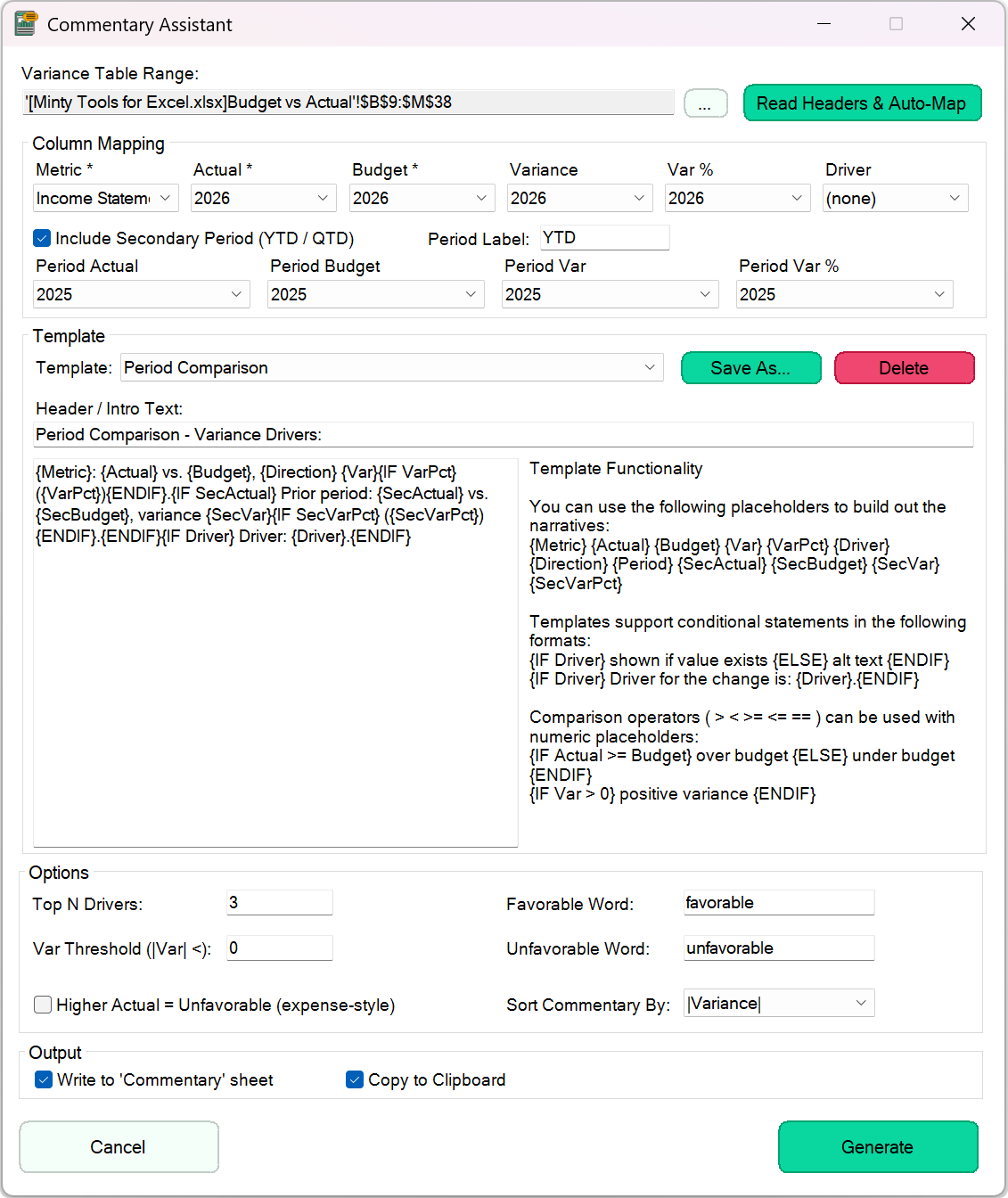
Select the variance table, read its headers to map the Metric, Actual, Budget, Variance, Var % and Driver columns, then pick a template and generate.
Templates are sentences with placeholders such as {Metric}, {Actual}, {Budget}, {Var} and {VarPct}, and conditions such as {IF Var > 0} … {ELSE} … {ENDIF}. Save your own templates to reuse them.
Options cover the top N drivers, a variance threshold, your own favorable and unfavorable words, expense-style lines where a higher actual is unfavorable, a secondary period such as YTD, and the sort order.
The commentary is written to a Commentary sheet and copied to the clipboard.
A consistent first draft of variance commentary in seconds, ready for you to add the reasons behind the numbers.